Quick Navigation
Getting Started with WAKHAL
Welcome to WAKHAL, your companion for mental wellbeing. This guide will help you navigate all the features of the app and make the most of your experience.
Download & Install
Download WAKHAL from the Google Play Store (iOS version coming soon). The app requires minimal permissions and works on most Android devices.
Create Your Account
Sign up using your email address to create your secure account. WAKHAL prioritizes your privacy — your data is encrypted and never shared with third parties.
Complete Onboarding
Set your goals and preferences during the initial setup. This helps personalize your experience and ensures you get the most relevant support.
Explore the Home Screen
Your dashboard provides quick access to all features and displays your recent mood trends, insights, and suggested activities.
App Home Screen & Dashboard

The main home screen provides an overview of your wellbeing and quick access to all features.
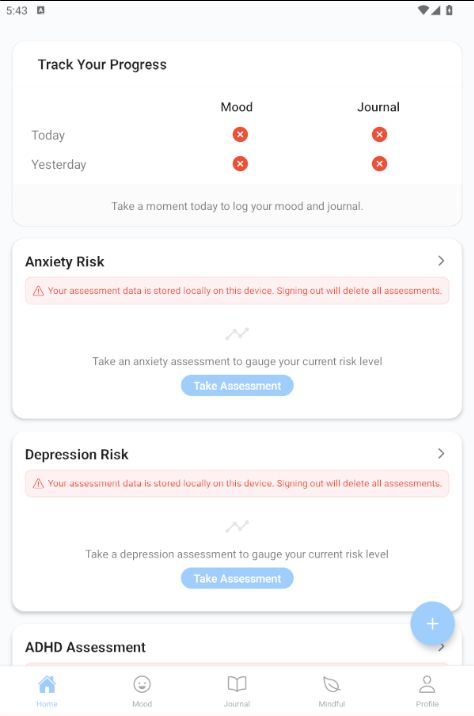
The insights dashboard shows your mood trends, patterns, and AI-powered analysis.

Quick action buttons provide immediate access to emergency help, meditation, mood logging, and journaling.
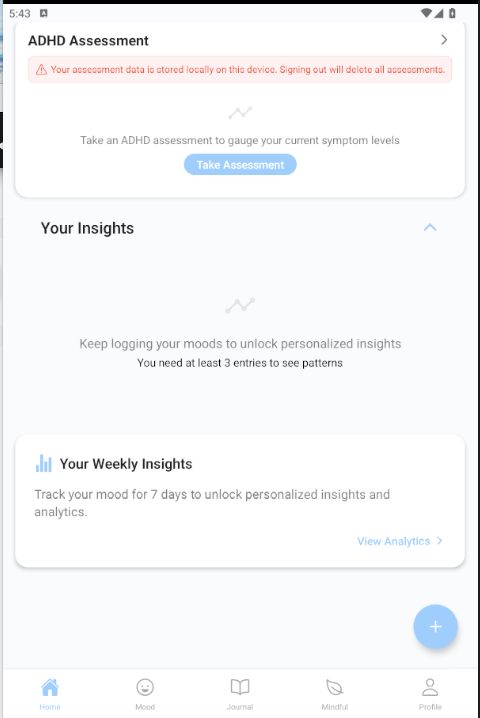
Mental Wellbeing assessment cards allow you to check in on specific aspects of your wellbeing.
First-time tip:
For the best experience, try to log your mood daily for the first week. This helps build a baseline for your analytics and ensures you receive the most accurate insights.
Mood Tracking & Analytics
The mood tracking feature is at the heart of WAKHAL, allowing you to record and understand your emotional patterns over time through a simple but powerful process.
Recording Your Mood
Tap the Mood tab or the + button on the home screen. Select from mood options ranging from Terrible to Awesome that best represents how you're feeling.
Adding Context
Add activities you've been doing and notes about your day to provide context for your mood. This helps identify patterns related to specific activities or situations.
Selecting Specific Feelings
Choose from a range of specific emotions to add nuance to your mood entry. This helps track emotional patterns beyond just good/bad.
Identifying Thinking Traps
The app guides you through identifying cognitive distortions or "thinking traps" that might be affecting your mood, based on cognitive behavioral therapy principles.
Reframing Thoughts
Practice reframing negative thoughts with guided prompts that help you develop more balanced perspectives, an essential CBT skill for improving mental wellbeing.
Mood Tracking Process
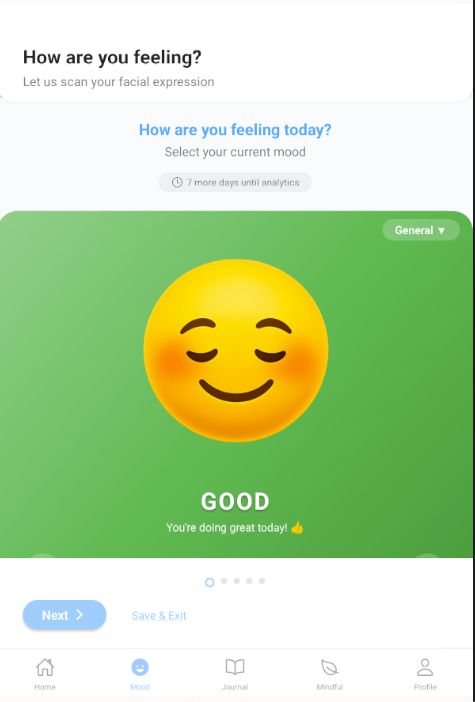
Step 1: Select your overall mood from a range of options with visual representations.
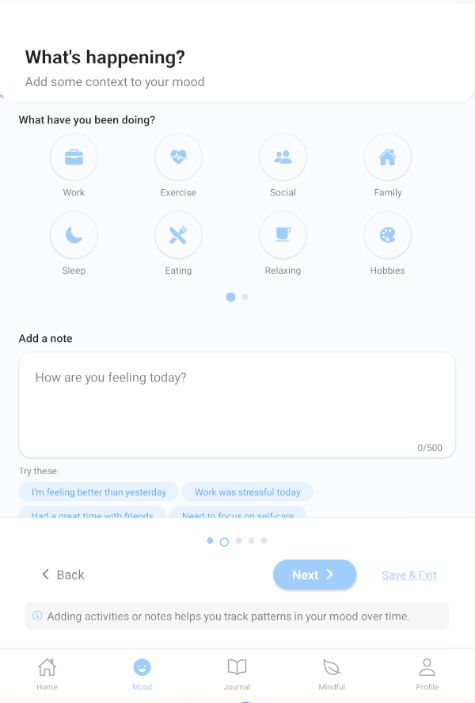
Step 2: Add activities and notes to provide context for your mood entry.
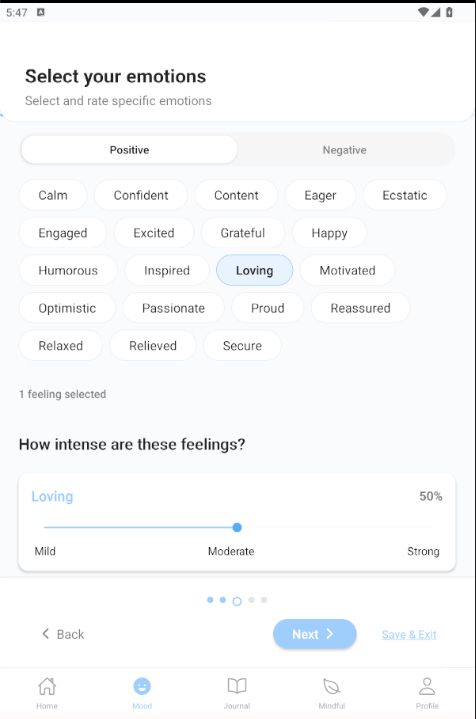
Step 3: Select specific emotions to add nuance to your mood tracking.
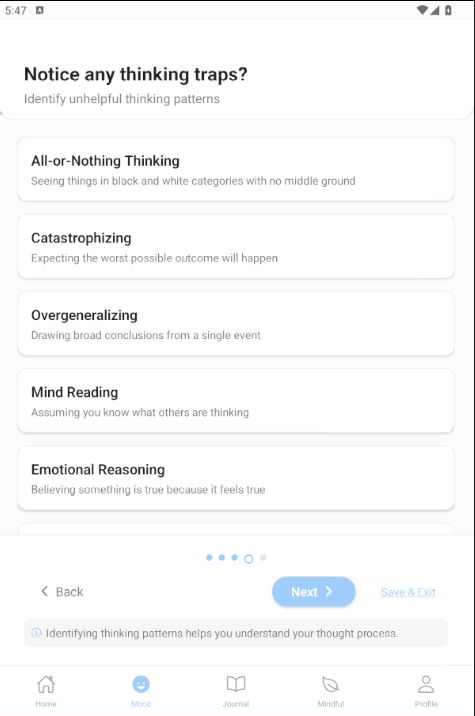
Step 4: Identify cognitive distortions or "thinking traps" that might be affecting your mood.
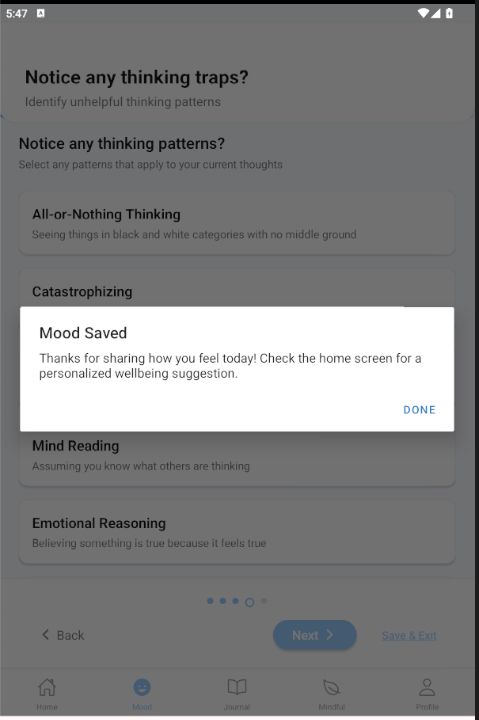
Step 5: Practice reframing negative thoughts with guided prompts to develop balanced perspectives.
Mood Analytics Features
WAKHAL provides several ways to visualize and understand your mood data:
- Mood Trends Chart: View how your mood has changed over time with color-coded visualizations for easy pattern recognition.
- Mood Distribution: See the breakdown of different moods to understand your emotional baseline.
- Activity Impact Analysis: Discover which activities consistently correlate with positive or negative moods.
- CBT Progress Tracking: Monitor your progress in identifying and reframing negative thought patterns.
- Feeling Category Analysis: Track which specific emotions occur most frequently and in what contexts.
For best results:
Try to log your mood at a consistent time each day. Many users find it helpful to set a daily reminder in the app settings to build this beneficial habit.
Journal Features
WAKHAL's journal provides a private space to express thoughts, process emotions, and track your mental wellbeing journey through both structured and free-form writing.
Journal Features
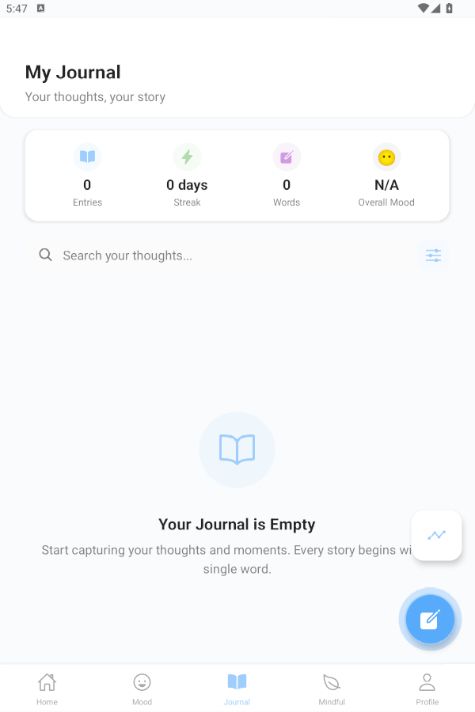
The Journal home screen shows your recent entries with mood indicators and search functionality.
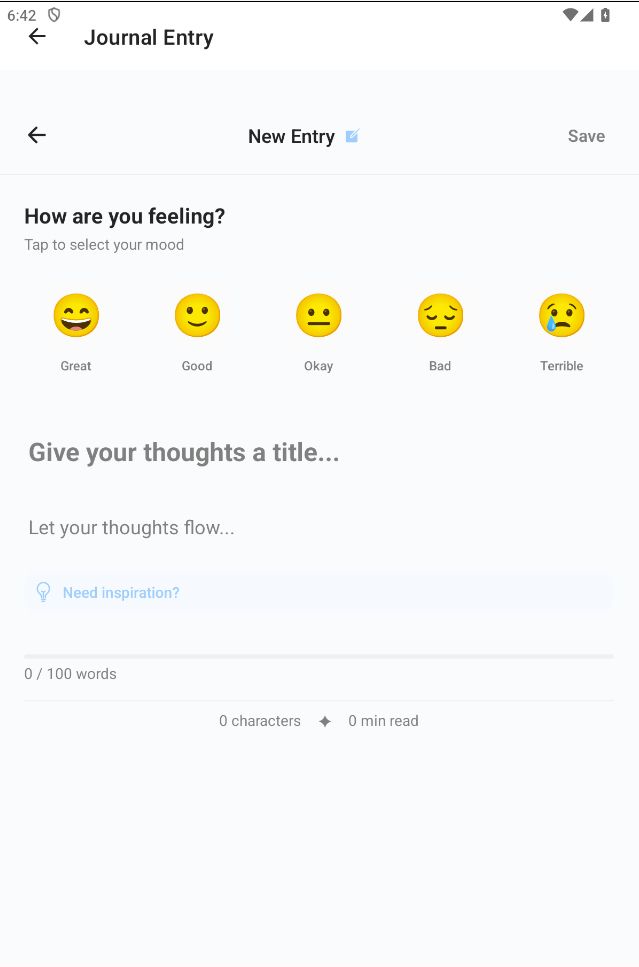
The distraction-free writing environment helps you capture your thoughts and feelings.
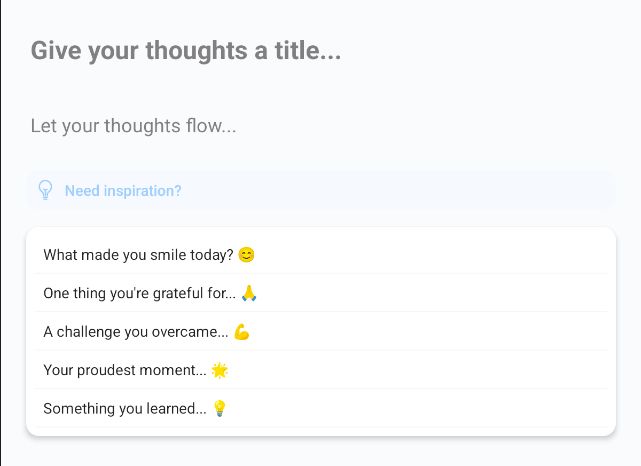
Therapeutic writing prompts guide your reflection and emotional processing.
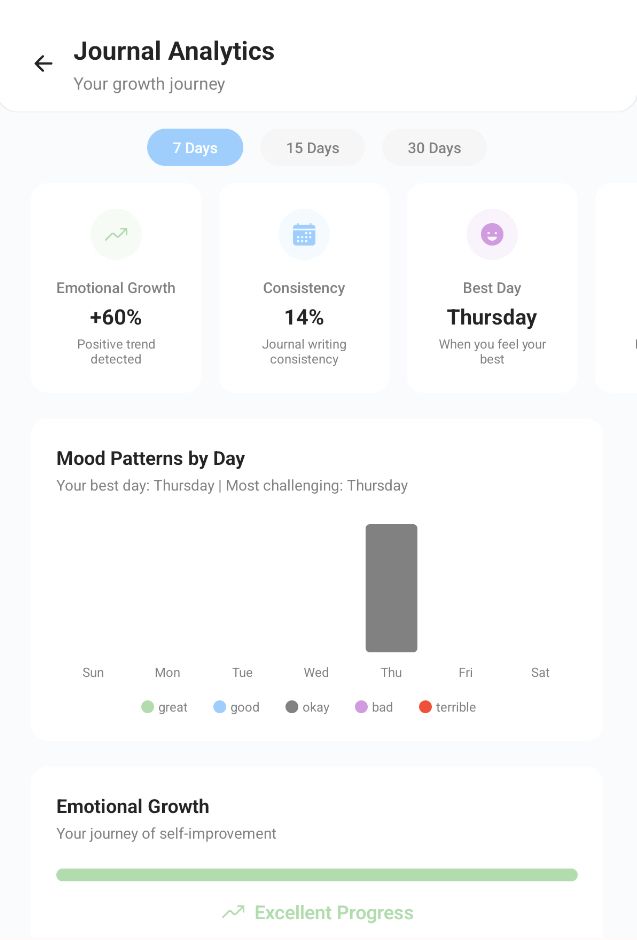
Journal analytics shows patterns in your writing themes, emotional tone, and growth over time.
Key Journaling Features
Enhanced Entry Editor
A distraction-free writing environment with formatting options, mood tagging, and the ability to add images to your entries.
Guided Prompts
Access therapeutic writing prompts designed to encourage self-reflection, gratitude, and emotional processing.
Search & Filters
Easily find past entries using keywords, dates, or mood filters to revisit important reflections and track progress.
Creating a New Entry
Tap the Journal tab and then the + button to start a new entry. You can begin with a blank page or select from guided prompts.
Adding Mood Context
Select a mood associated with your entry to provide emotional context and enable mood-based filtering later.
Using Journal Analytics
Access insights about your journaling patterns, emotional themes, and growth over time through the Analytics button on the Journal home screen.
Journal privacy:
Your journal entries are stored securely with encryption. For additional privacy, you can enable password or biometric protection for your journal in the app settings.
Mindfulness Resources
The Mindful section offers a variety of tools to support presence, calm, and emotional balance through curated content and guided practices.
Available Resources
- Guided Meditations: Various meditation practices designed for different purposes, including stress reduction, focus, sleep, and emotional regulation.
- Calming Music: Specially composed tracks to promote relaxation, focus, or sleep, with adjustable durations.
- Educational Articles: Evidence-based content about mental wellbeing, coping strategies, and psychological concepts.
- Wellbeing Podcasts: Audio discussions covering various mental Wellbeing topics, self-care strategies, and inspirational stories.
- Therapeutic Stories: Narrative content designed to encourage reflection and new perspectives on common challenges.
Accessing Content
Tap the Mindful tab to browse all available resources. Use the category tabs to filter content by type.
Using the Audio Player
Select a meditation or music track to open the player. You can adjust volume, set a timer, and continue listening even while using other sections of the app.
Saving Favorites
Tap the heart icon on any content to save it to your favorites for quick access later. Favorite items appear at the top of their respective sections.
Mindfulness Features
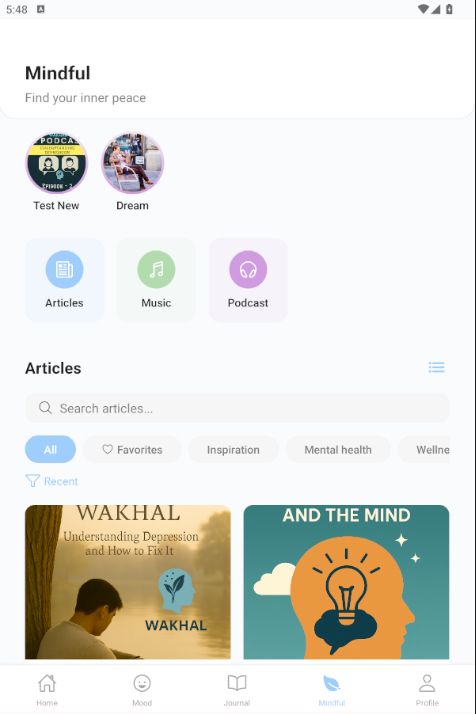
The Mindful section home screen with categories for meditation, music, articles, and podcasts.
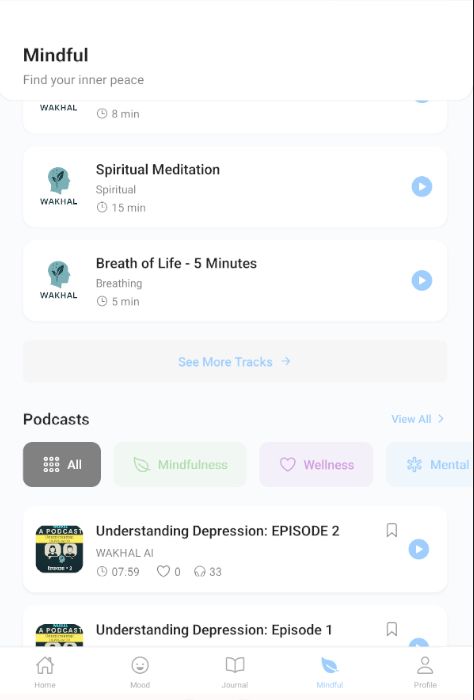
Guided meditation sessions with various categories and duration options.

The audio player interface for meditation and music with playback controls and timer settings.
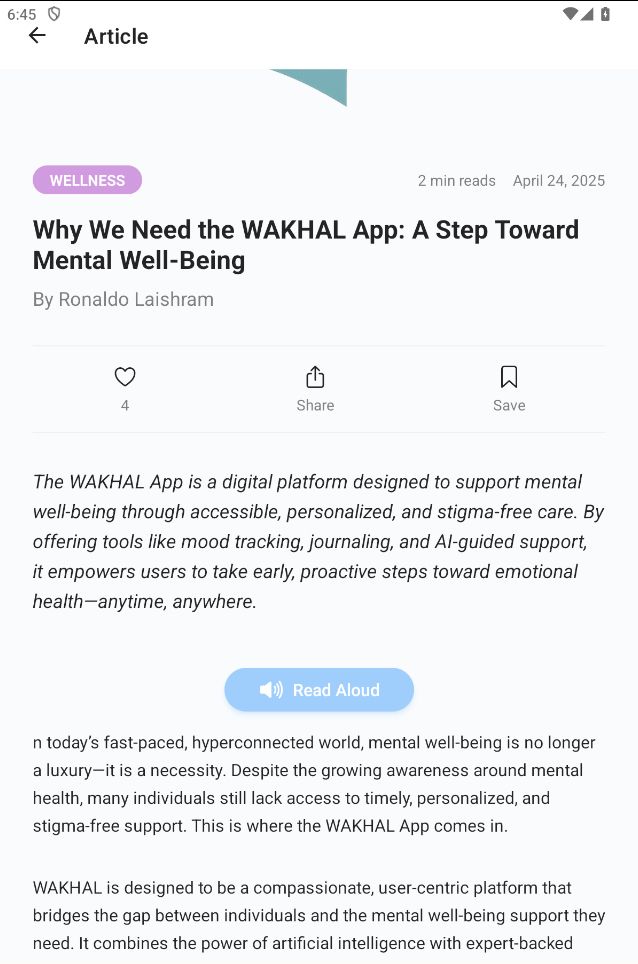
Educational articles about mental wellbeing, coping strategies, and psychological concepts.
Mindfulness tip:
If you're new to meditation, start with the "Basics of Mindfulness" series, which provides short, guided introductions to foundational practices in an accessible format.
Mental Wellbeing Assessments
WAKHAL offers evidence-based screening tools to help you better understand specific aspects of your mental wellbeing. These assessments provide insights and personalized recommendations.
Available Assessments
- Depression Screening: Based on validated clinical tools, this assessment helps identify symptoms of depression and their severity.
- Anxiety Screening: Evaluates anxiety symptoms and provides an understanding of how anxiety might be affecting your daily life.
- ADHD Screening: Screens for attention and focus-related challenges that might indicate attention deficit hyperactivity disorder.
Taking an Assessment
Access assessments through the Home screen cards or via Profile > Assessments. Read the introduction carefully before beginning.
Viewing Results
After completing an assessment, you'll receive a detailed results page with visualizations and explanations of what your scores might indicate.
Accessing Resources
Based on your results, the app provides relevant articles, meditations, and coping strategies specifically tailored to your needs.
Important note:
These assessments are for informational purposes only and do not constitute a diagnosis. If your results indicate significant concerns, please consult with a care professional for proper evaluation and support.
AI-Powered Insights
WAKHAL leverages artificial intelligence to provide personalized insights and suggestions based on your mood patterns, journal entries, and app usage.
Mood Insights
AI analysis of your mood patterns identifies trends, potential triggers, and factors that consistently impact your emotional state.
Wellbeing Suggestions
Receive personalized recommendations for activities, content, and practices based on your unique patterns and preferences.
Pattern Analysis
Advanced analysis of correlations between activities, time of day, day of week, and other factors that may influence your wellbeing.
Accessing AI Features
AI insights appear on your Home screen once you have enough data (usually after 5-7 days of consistent mood logging).
Viewing Detailed Analysis
Tap on any insight card to see more detailed information, including visualizations and explanations of the patterns identified.
Acting on Suggestions
Implement recommended activities and track their impact on your mood to help the system refine its suggestions over time.
For better insights:
The more consistently you use the app's tracking features, the more accurate and helpful the AI insights become. Try to maintain regular mood logging for the best results.
Profile & Settings
Customize your WAKHAL experience and manage your account through the Profile section, which provides access to various settings and preferences.
Profile Features
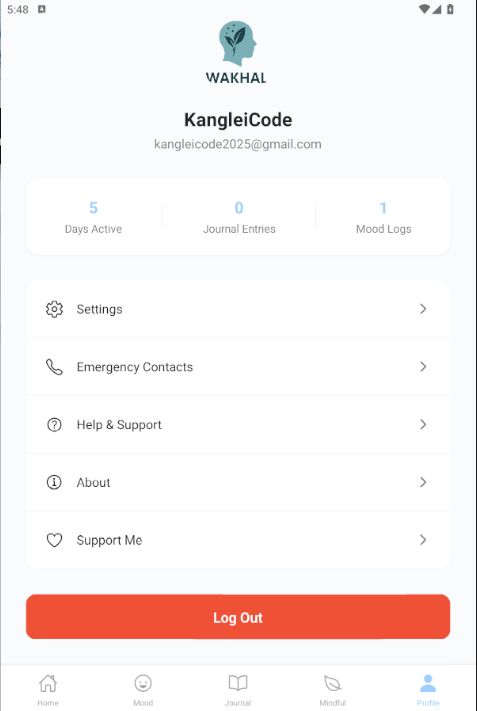
The Profile screen provides access to account settings, preferences, and support features.
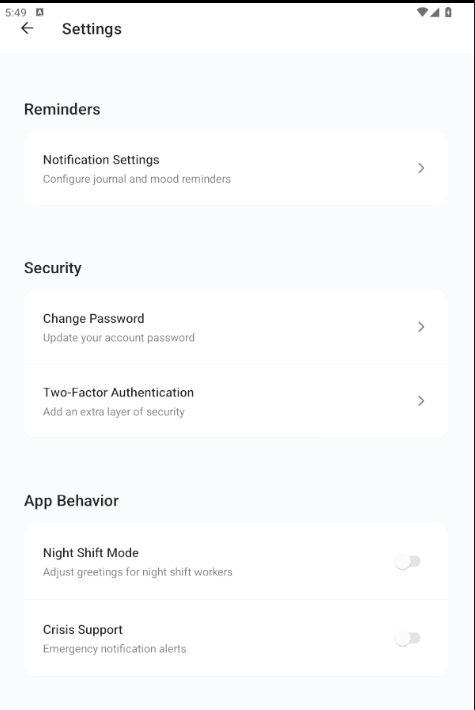
Settings menu allows you to customize notifications, appearance, privacy, and other preferences.
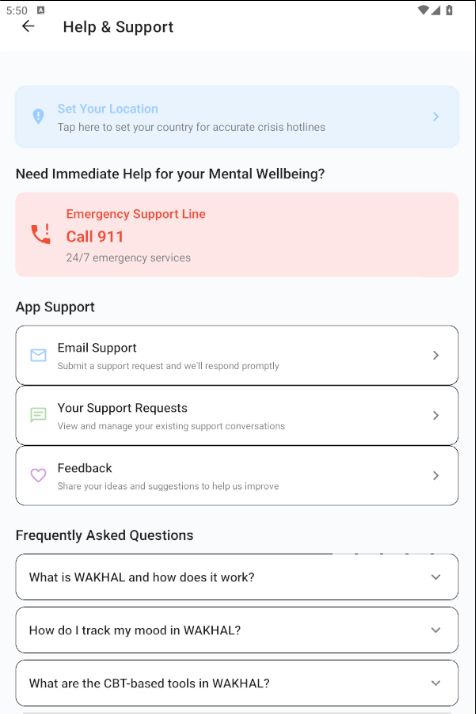
Access direct support features including chat support, feedback submission, and help resources.
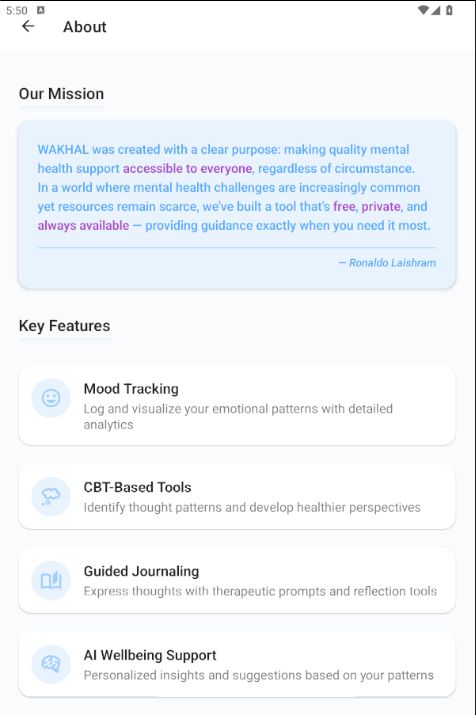
About WAKHAL App.
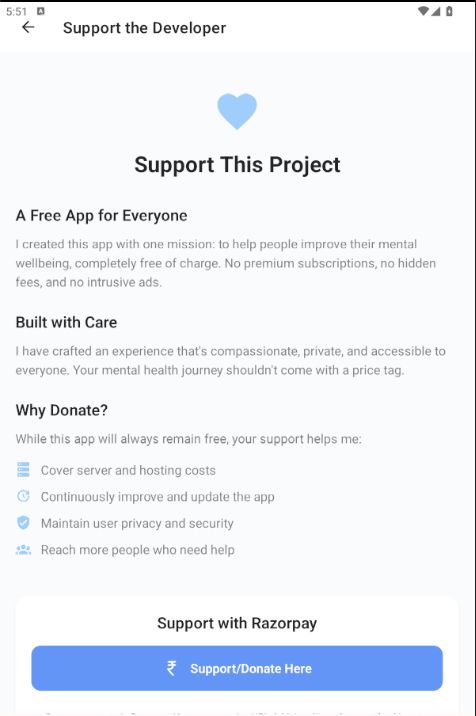
Support me.
Key Profile & Settings Features
Account Management
Update your personal information, change your password, manage your email preferences, and control your account security.
Notification Settings
Customize when and how you receive reminders for mood logging, journal prompts, meditation sessions, and other app alerts.
Appearance Settings
Adjust the app's visual theme, text size, and contrast options to match your preferences and accessibility needs.
Chat Support
Connect directly with the WAKHAL support team through in-app chat for technical assistance or general questions about the app.
Feedback Submission
Share your thoughts, suggestions, and feature requests to help improve WAKHAL and shape future updates.
Support WAKHAL
Options to contribute to WAKHAL's mission through donations, volunteer opportunities, or by sharing the app with others.
Accessing Profile
Tap the Profile tab in the bottom navigation to access your profile screen with all available options.
Setting Up Emergency Contacts
Go to Profile > Emergency Contacts to add people who can be contacted with a single tap during difficult moments.
Configuring Notifications
Select Profile > Notification Settings to customize reminder frequency for mood logging, journal prompts, and mindfulness practices.
Using Chat Support
Access Profile > Help & Support > Chat With Us to start a conversation with the support team for technical assistance or questions.
Data privacy:
WAKHAL prioritizes your privacy. Your data is stored securely on your device with encryption and you have complete control over what data is saved and for how long.
Emergency Resources
WAKHAL provides quick access to crisis support resources when you need immediate help with mental wellbeing challenges.
Accessing Emergency Support
Tap "Emergency Help" on the Home screen or go to Profile > Emergency Resources to access crisis support options.
Using Quick Contacts
Contact your pre-configured emergency contacts with a single tap during difficult moments.
Accessing Hotlines
View a list of mental wellbeing crisis hotlines that you can call or text immediately for professional support.
Crisis Coping Tools
Access guided exercises specifically designed for crisis moments, including grounding techniques and breathing practices.
Important:
If you're experiencing thoughts of self-harm or suicide, please contact emergency services immediately by calling emergency services in your area or a crisis helpline. In case of emergency always call your local emergency number (e.g., 911 in the US).
Frequently Asked Questions
Is my data private and secure?
Yes, WAKHAL prioritizes your privacy and security. Your data is stored locally on your device with encryption, and you have complete control over it. We do not share your personal information with third parties. For enhanced privacy, you can enable additional security features like app lock in the Settings.
How often should I log my mood?
For the best insights, we recommend logging your mood daily. However, any consistent frequency will provide valuable data. Many users find it helpful to set a specific time each day for mood logging to build a sustainable habit.
Can I export or delete my data?
Yes, you can export all your data in a standard format through Profile > Privacy & Data > Export Data. You can also delete specific entries or your entire account and associated data at any time.
Do I need an internet connection to use WAKHAL?
Most of WAKHAL's core features work offline. You can log moods, write journal entries, and access downloaded content without an internet connection. Some features like downloading new meditations or syncing data require connectivity.
How accurate are the assessments?
The assessments in WAKHAL are based on validated clinical screening tools. However, they are intended for informational purposes only and do not provide medical diagnoses. Always consult with a healthcare professional for proper evaluation and treatment.
How do I get help with the app?
For technical support or questions about features, go to Profile > Help & Support or email support at wakhal@kangleicode.in. We're committed to helping you make the most of your WAKHAL experience.
Start your mental wellbeing journey today